How to capture a thought on your Mac
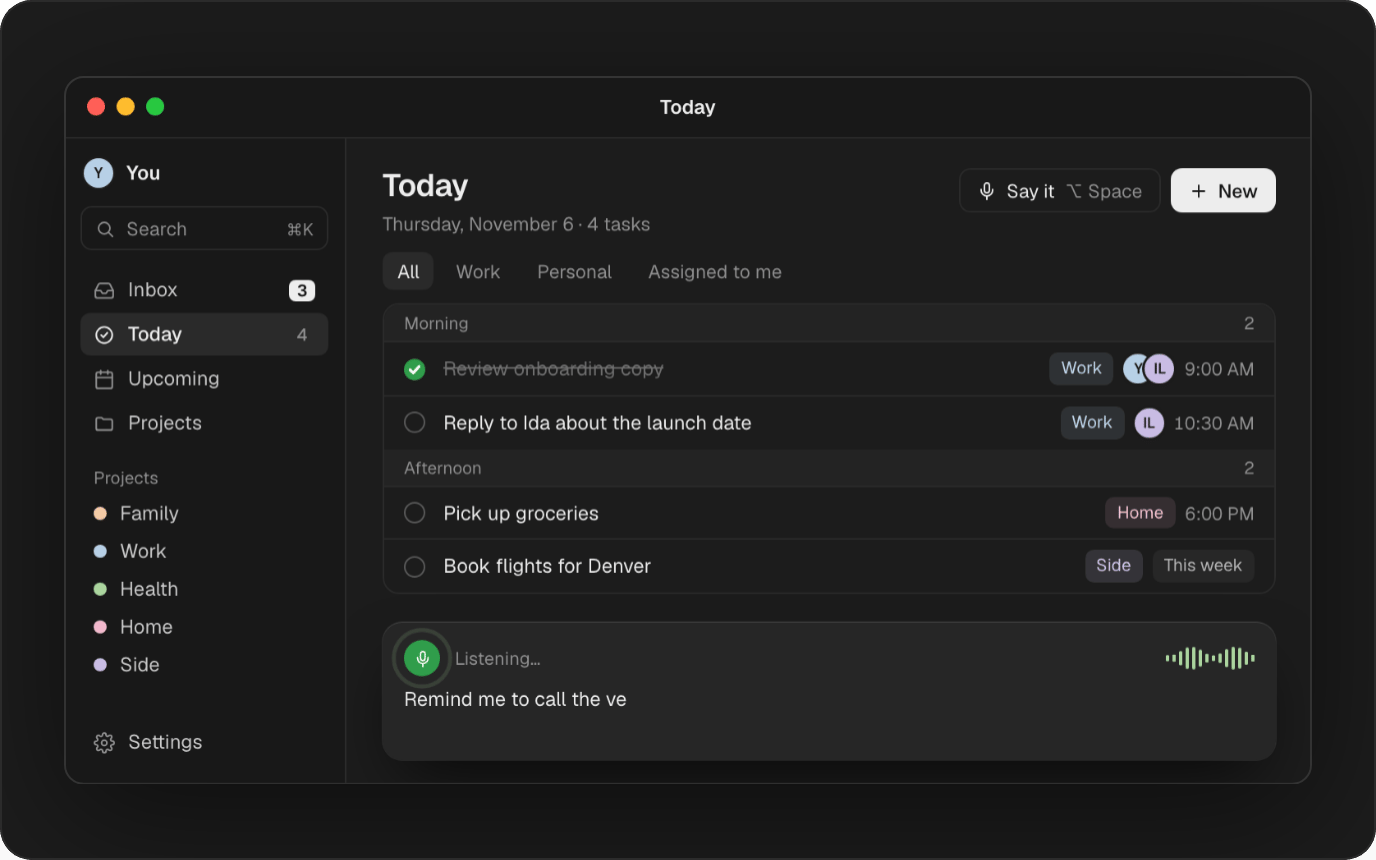
- In any app, hold ⌥ Space (Option and Space). Ferrin’s capture bar opens.
- Say what’s on your mind. Ferrin shows what it hears as you speak.
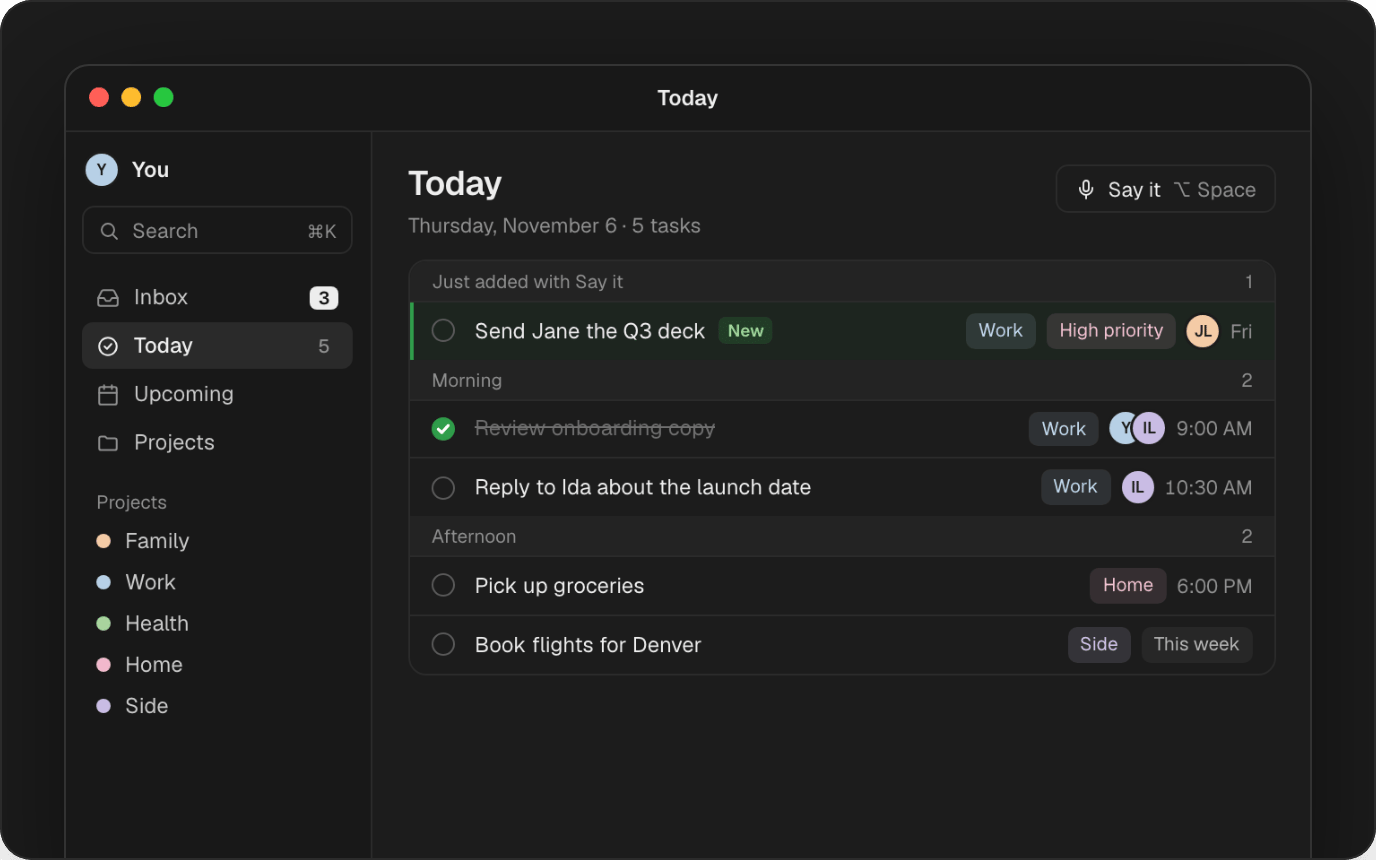
- Let go of ⌥ Space. Ferrin sorts what you said into tasks and adds them to your plan.